
The j777 app is optimized for Vietnamese players — fast, smooth interface with full support for slots, sports, and live casino all in one tap.
J777 offers a native app for both Android and iOS, along with a convenient web browser version. Choose whichever option best suits the device you are using.
Download the APK file and install it manually. Compatible with Android 8.0 and above. No Google Play required, no Google account needed.
IPhone users can install j777 via the PWA guide or TestFlight. Compatible with iOS 13 and above, runs smoothly on iPhone 8 and later.
Access j777 directly through a browser on your computer or phone. No storage space required, always automatically updated to the latest version.
Because j777 distributes APK files directly instead of through Google Play, you need to enable "Install from Unknown Sources" in your phone settings. This takes about 30 seconds and is completely safe with the official APK file from j777.
Open Chrome on your Android phone, go to the official j777 website, and find the "Download app" section. Tap the APK download button and the download will begin immediately.
Android will display a confirmation prompt. Go to Settings → Security → Install apps from unknown sources → Enable for Chrome. This is a one-time required step.
Open your Downloads folder, find the J777.apk file, and tap to open it. Android will ask if you want to install it — tap "Install" to continue.
The installation process is fast, typically under 30 seconds depending on your device. Once complete, the j777 icon will appear on your home screen.
Open the j777 app, tap Login if you already have an account, or Register to create a new one. It only takes a few minutes to get started.
Apple restricts installing apps outside the App Store, but iPhone users can still enjoy the full J777 experience through the two methods below. Neither requires a jailbreak or any complex steps.
Open Safari on your iPhone and go to the j777 website. Tap the Share icon (the box with an arrow) in the bottom toolbar, then select "Add to Home Screen". The app will appear just like a native app on your iPhone.
The system will ask for the shortcut name you want to set. Keep it as "J777" or customize it as you prefer, then tap "Add" in the top right corner.
Tap the j777 icon on your home screen — the app opens in full-screen mode with no browser address bar, giving you an experience identical to a native iOS app.
During certain periods, j777 distributes iOS beta builds via Apple TestFlight. If you have a TestFlight invite link, install TestFlight from the App Store first, then use the link you received to install j777.
Regardless of which method you use, once installed you can log in to your J777 account and access all game lobbies, sports, and Live Casino — with no feature restrictions.

App J777 is specifically optimized for touchscreens and mobile connections, delivering a smoother experience compared to using a standard web browser.
The app stores data locally, so game pages, scoreboards, and betting interfaces load faster than on the web — especially noticeable on high-latency 4G networks.
Get instant notifications when a bet settles, when a new promotion is available, or when a withdrawal request has been processed — right away, without needing to open the app first.
Supports biometric authentication on compatible devices. Log in faster without entering your password every time — more secure and more convenient.
The entire menu, betting panels, Live Casino tables, and slot reels have been redesigned for mobile screens — no shrinking, no awkward controls.
Data-saving mode in the app reduces 3G/4G consumption while still keeping game visuals sharp and the Live Casino stream smooth.
The app automatically updates to the latest version in the background — you never miss new features or important security patches without having to do anything.
| Specs | Details |
|---|---|
| Minimum operating system | Android 8.0 (Oreo) or higher |
| Installation size | ~5MB (APK file) |
| Minimum RAM | 2GB |
| Storage required | 50MB free after installation |
| Network connection | WiFi or 4G/LTE |
| Screen | Optimized for 5 inches and above |
| Distribution method | Direct APK file |
| Update | Automatically via in-app notifications |
| Specs | Details |
|---|---|
| Minimum operating system | IOS 13 or later |
| Compatible devices | IPhone 8 / iPad Air 2 or later |
| Installation method | PWA (Safari) or TestFlight |
| PWA size | Takes up minimal storage space |
| Face ID / Touch ID | Supported on compatible devices |
| Screen | Optimized for iPhone 8 (4.7 inches) and above |
| PWA browser | Safari (recommended) |
| Update | Automatically on app launch |

As the mobile betting market continues to grow with more options, the practical questions Vietnamese players often ask are: "Does that app actually run well on a mid-range phone?" or "Does it lag during peak hours?". These are exactly the right questions — and J777 has made these the core focus when developing its mobile application.
The reality is that most players in Vietnam don't use the latest flagship phones — they use mid-range devices in the 3 to 5 million đ range, with 4G connections that can sometimes be unstable. The j777 app has been tested on popular models like Xiaomi Redmi, Samsung Galaxy A series, and OPPO A series — with the goal of running stably, without crashing or freezing mid-session while watching live odds or spinning slots.
The app interface is designed around a "thumb-first" principle — meaning the main action buttons such as place bet, deposit, withdrawal, and view scores are all positioned in the easiest-to-reach zone when holding your phone with one hand. You do not need to zoom or scroll constantly just to place a sports bet.
One notable difference is the Live Casino section in the app. Instead of streaming at a fixed resolution and leaving low-end devices to cope, j777 automatically adjusts video quality based on current bandwidth — sharp picture on strong WiFi, slightly reduced quality on weaker 4G, but no lag or dropped table connections. It's a small detail that really matters when you're in the middle of a live Baccarat hand and can't afford an interruption.
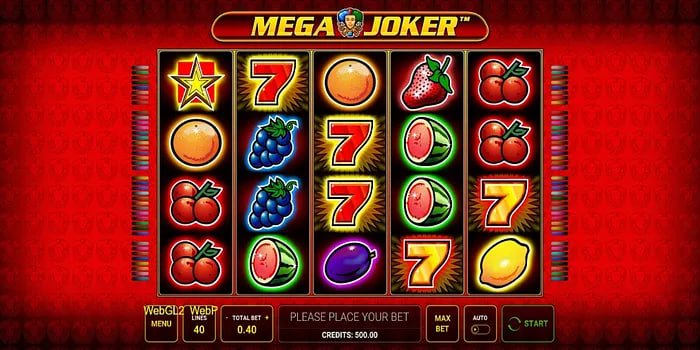
The Slots section in the app has its own advantages too: the game list is more clearly categorized than on the web — by provider, by RTP, by volatility, and by trending games. New players can find the right game more easily, while experienced players can quickly filter by their preferred criteria without scrolling through hundreds of titles.
From Pragmatic Play and PG Soft slots to live Baccarat tables and Champions League odds — all accessible from a single account, no multiple logins needed.
The app supports two-factor authentication (2FA) and biometric login. Login sessions are encrypted and automatically expire when inactive, protecting your account more effectively than a browser.
Chat with J777 support directly from within the app without needing to open a browser or switch to another application. Response times are generally faster than through the web channel.
Go to Settings → Security → Enable "Unknown Sources" or allow Chrome to install apps. The exact location of this option may vary slightly depending on Android 8–13.
Close the app completely and reopen it. If the screen is still blank, clear the app cache in Settings → Apps → J777 → Clear Cache. No uninstall required.
Switch to WiFi if you are on 4G. Go to app settings and enable data-saving mode to reduce stream resolution and stabilize the connection on a weak network.
For security reasons, your login session expires automatically after a period of inactivity. Simply log in again — your data and balance will not be affected.
Download the j777 app for free and explore hundreds of slot games, sports betting markets, and Live Casino tables — anytime, anywhere, right from your phone.